


Zipcar
4.014.93K Reviews
App Specs
- Version
- 10.03.01
- Updated On
- License
- Free
- Downloads
- 1,000,000+
- Developer
- Zipcar
- Categories
- Maps & Navigation
- Platform
- Android, iOS
Screenshots
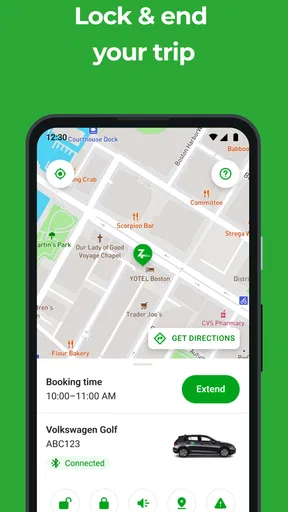
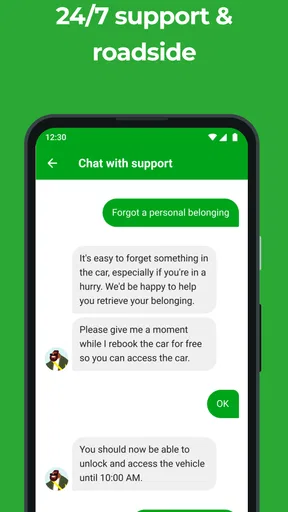
 Analysis by AppCompare
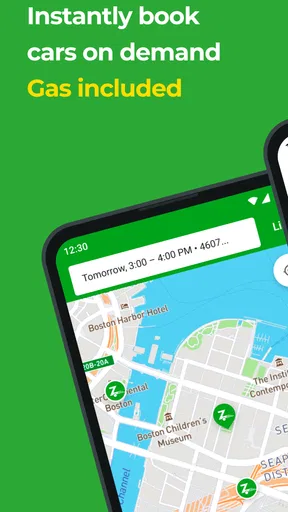
When I need a car for a short errand but do not want the cost and commitment of owning one, I look at Zipcar as a practical middle ground between public transport, taxis, and traditional rental desks. It is a free Maps & Navigation app from Zipcar, built around finding nearby cars and arranging use by the hour or day. I found the experience most useful when the trip had a clear beginning and end: collect something bulky, visit several places, or reach an area where buses and trains would make the journey awkward.
The important distinction is that this is not simply a map for locating vehicles. The app is part of a reservation workflow. I start with a need, search for a suitable car, check the available booking details, and then use the reservation to organize the trip. That makes it more purposeful than a general navigation tool, but also means the quality of the experience depends on vehicle availability and how well my plans match the booking window.
From an awkward trip to a booked car
My usual starting condition is a journey that does not justify a full-day rental. Imagine needing to pick up a flat-pack item, carry groceries for a large household, or attend an appointment in a place with inconvenient connections. A normal map app can show me routes, but it cannot solve the transport problem when I need to drive. A taxi can work, yet repeated stops or waiting time may make it less comfortable. Zipcar addresses that specific gap by putting nearby shared cars at the center of the planning process.
The first useful habit is to decide whether I need flexibility or simply a ride from one point to another. If I only need a direct transfer, a taxi or ride-hailing service may involve less preparation. If I need to keep a vehicle while moving between several destinations, the car-sharing model becomes more appealing. I also think about parking, traffic, and the return journey before reserving. A nearby car is not automatically convenient if the final stop leaves me far from where the vehicle must be returned.
Opening the app gives the task a different shape from ordinary route planning. Instead of entering a destination first, I am looking for a usable vehicle and a time that fits. That change matters. I have to think about when I can collect the car, how long the outing may take, and whether I have enough margin for delays. The best results come from treating the reservation as a complete plan, not as a last-minute replacement for a bus.
The app is free to install, and its Everyone content rating makes it approachable for a broad audience. Zipcar has been available since March 22, 2011, so it is not a new experiment in the navigation space. Its current version is 10.03.01, and it supports devices running Android 7.0 or later. Those details are useful when deciding whether an older phone can handle the app before building an important trip around it.
Searching with the trip already in mind
Once I know roughly when I need the car, I use the map view to look for a location that will not create extra work. The closest vehicle is tempting, but the most practical choice may be one near my home, workplace, or a transit stop I can reach easily. This is one of the less obvious decisions in the process: the pickup distance is only one part of the journey. I also consider where I will finish and how simple it will be to get back after returning the car.
Worth Reading Before You Choose

EA SPORTS FC Mobile 26 Is a Bigger Football Game, but It Takes Time

Flipboard Shows What News Apps Must Do Beyond the Feed

Switching to Android Auto Means Rethinking Your Driving Routine

Google Calendar Makes a Crowded Week Easier to Manage

Ludo King Makes the Most of the Minutes Between Plans

Baby Panda World Brings Quick Play to Modern Phones, but Its Game Library Feels Busy
When several cars appear, I compare the available booking options rather than choosing the first marker. A short errand may fit an hourly booking, while a more complicated day needs a longer window. I leave breathing room for loading, parking, traffic, and unexpected queues. Booking too tightly can turn a small delay into a stressful handoff, while reserving far more time than necessary may reduce the value of using a shared vehicle for a short task.
This is where the app feels different from a conventional rental company website. A rental desk usually makes me think in terms of a larger rental period and a formal pickup location. Zipcar’s map-led approach encourages me to begin with proximity and timing. That is convenient for local trips, but it also makes planning discipline more important. I cannot assume that the nearest car will remain available while I decide, so I prepare the basic timing before browsing.
I also check the trip against the car-sharing logic rather than imagining unlimited use. If I need to make an uncertain number of stops, I plan the likely route first. If I expect a long detour, I avoid choosing a booking that leaves no margin. This workflow is especially helpful for errands with a known end time, such as collecting an online order before a shop closes or visiting a client between two fixed appointments.
Making the reservation and preparing for pickup
After choosing a suitable vehicle and time, the handoff shifts from planning on the screen to managing a real car. I treat the reservation details as something to review carefully before leaving. I want to know where I am going, when the booking begins, and how the return fits into the rest of my day. Even when the app makes the selection feel quick, the consequences of a rushed choice appear later, at the pickup point or during the return.
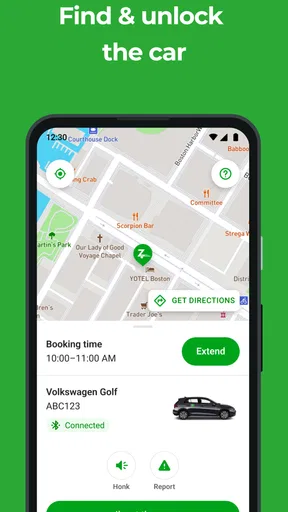
A useful workflow is to keep the app available while travelling to the car, rather than closing it immediately after booking. The map is valuable not only for finding a vehicle but also for keeping the pickup location in view. In a busy neighbourhood, the difference between being near a marker and standing beside the correct car can be frustrating. I allow extra time for that final search, especially when I am unfamiliar with the street layout.
This is also the stage where I make a practical handoff between digital information and physical responsibility. The app helps me organize the reservation, but I still need to arrive at the right place and follow the steps required to begin the booking. I do not regard the confirmation screen as the end of the task. It is the bridge between a planned trip and a vehicle that I can actually use.
For a first-time user, I would avoid testing the service on a day when every minute matters. A low-pressure errand is a better introduction because it gives me time to understand the pickup flow, locate the car, and learn how the reservation fits into my routine. After that first experience, the app becomes easier to judge: I can tell whether nearby coverage, timing, and the return process suit my area and habits.
The drive, the return, and the second handoff
During the trip, I use the reserved car for the planned journey rather than treating it like an open-ended rental. The main advantage is continuity. I can carry items, make several stops, and keep the same vehicle while I complete the task. That is more convenient than requesting a separate ride for every leg, and it avoids the awkwardness of explaining multiple destinations to a driver.
There is a trade-off, though. I am responsible for managing the schedule while driving. A taxi or ride-hailing service lets me hand over navigation and parking decisions to someone else. With Zipcar, I gain control but must think about traffic, finding legal parking, loading time, and the return deadline. For me, the service works best when I want that control and can estimate the trip with reasonable confidence.
The return is the second major handoff. The journey is not complete when I reach my last destination; it is complete when the car is dealt with correctly at the end of the reservation. I plan the final leg before starting the first one, checking that my route back is realistic. This simple habit prevents a common mistake: using the entire booking for the outward journey and leaving no useful margin for returning the vehicle.
I also avoid building a plan that depends on one perfect parking outcome. If the destination is busy, I consider how long it may take to load or unload and whether the return location will be easy to reach afterward. That is a real strength of thinking through the whole workflow in advance. The app can help me find and arrange the car, but it cannot remove the physical friction of urban driving.
For a multi-stop day, I write down the order of the stops before booking. This is more efficient than improvising after pickup because it exposes unnecessary backtracking. It also helps me choose a booking period that reflects the entire outing rather than the time spent at the first destination. In my experience, this planning step adds more value than repeatedly checking the map once I am already on the road.
What the app does better than the usual alternatives
Compared with public transport apps, Zipcar is better when the problem involves cargo, several stops, or a destination poorly served by transit. A bus or rail planner may produce an accurate route, but accuracy does not help much when I am carrying furniture or travelling with a tight sequence of appointments. The car-sharing workflow gives me independence for the middle of the journey, not just a route to the first stop.
Compared with taxis and ride-hailing, the advantage is control over the vehicle and the ability to pause between destinations without ordering another ride. That can make a day of errands feel more manageable. The disadvantage is that I take on driving, parking, and timing myself. Someone who dislikes city driving may find the apparent convenience less valuable once those responsibilities are included.
Compared with a standard rental app, the map-based local search feels more immediate for short trips. I am not necessarily planning a conventional holiday rental; I am solving a local transport problem. The compromise is that the experience depends heavily on whether a suitable shared car is available where I need it. A traditional rental may be better when I need a specific vehicle, a predictable long booking, or a trip that begins outside the service area I normally use.
The app’s public reception suggests that many people find the concept useful: it holds a 4.0 average from around 51 thousand ratings, with roughly 15 thousand written reviews and over a million installs. I see those figures as signs of an established service rather than a guarantee that every local search will work perfectly. Car-sharing is inherently location-sensitive, so my own neighbourhood, travel times, and parking conditions matter more than a broad average.
Where the workflow becomes fragile
The biggest weakness is the dependency chain. I need a suitable car, a suitable time, a reachable pickup point, enough time for the trip, and a workable return. If any link is inconvenient, the whole plan loses its appeal. This is more fragile than opening a taxi app and requesting a ride, especially when I am travelling at short notice or cannot tolerate uncertainty.
Another limitation is mental overhead. The app may make browsing cars straightforward, but I still have to estimate the complete duration of the outing. A short-looking journey can expand because of traffic, loading, parking, or a delayed appointment. I prefer to reserve only after considering those details. If my schedule is unpredictable, I would rather choose an alternative that does not tie the transport solution so closely to my own timing.
The map can also encourage false confidence. Seeing a vehicle nearby does not automatically mean the pickup will be effortless or that it is the right choice for the return journey. I double-check the neighbourhood and think about how I will reach the car without adding an unnecessary trip. For users with limited mobility, heavy luggage, or no comfortable way to reach the pickup point, a nearby marker may still be impractical.
I would not recommend making this the only plan for an important appointment unless I had already used the service successfully in the same area. For a medical visit, a flight connection, or an event with a strict start time, I value redundancy. A backup route or alternative transport option is sensible because the convenience of shared cars depends on availability and the real-world conditions around the reservation.
Who will get the most from it
I think Zipcar suits city residents, occasional drivers, and people who need a car for defined tasks rather than everyday commuting. It is particularly useful for someone who normally walks or uses transit but occasionally needs to transport objects or reach an inconvenient location. It can also suit a household that does not want to own a second car for occasional errands.
The app is less convincing for people who drive daily, need a vehicle permanently available, or regularly travel beyond the areas where shared cars are convenient. It is also not my first choice when I need a very specific vehicle type or when the return time is impossible to predict. In those cases, ownership, a longer traditional rental, or a ride service may be simpler even if the headline cost looks less attractive.
My practical advice is to begin with one ordinary, low-risk journey. Search from the place where you will actually start, compare more than one nearby option, and allow time for both pickup and return. Use the first booking to learn the local rhythm rather than trying to solve the most complicated trip immediately. That approach makes it easier to decide whether the service genuinely saves effort for you.
My overall experience with the complete journey
Zipcar works best when I use it as a carefully planned bridge between fixed-route transport and full-time car ownership. The app handles the discovery and reservation side of that bridge, while I handle the timing, driving, parking, and final return. That division of responsibility is the central idea behind the experience, and it explains both its usefulness and its limitations.
I like the way the workflow starts with a real local need instead of forcing me into a long rental arrangement. Finding a car near the start of a trip can turn an awkward errand into a manageable one, especially when carrying things or making several stops. The free app is easy to consider, and the long-running service gives it a more established feel than a brand-new car-sharing experiment.
Still, I would not call it effortless transport. The best outcome depends on preparation, realistic timing, and a return plan. If I remember those three points, the app can be a genuinely convenient option. If I ignore them, the same flexibility can become pressure. My recommendation is simple: choose Zipcar when you want temporary control of a nearby car and can manage the full booking window yourself.
For the right trip, that is a useful and focused role. It is not a universal replacement for transit, taxis, or conventional rentals, but it fills a specific gap well. I would recommend trying it for a planned errand or a short day of local stops, then judging it by the complete experience from finding the vehicle to finishing the return. That final outcome, rather than the map alone, is what determines whether it belongs in my regular travel toolkit.
Pros
- Convenient app-based car access without visiting a rental counter.
- Hourly and daily booking options suit short trips and errands.
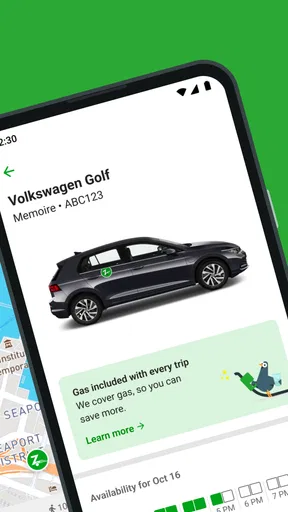
- Fuel and standard insurance are generally included in the rental price.
- Vehicle locations and availability are easy to check in the app.
- Members can choose from different vehicle types for varied travel needs.
Cons
- Availability can be limited outside major cities and busy neighborhoods.
- Membership and booking fees may reduce savings for occasional users.
- Late returns can lead to extra charges and inconvenience the next renter.
- Cars may vary in cleanliness and condition between individual bookings.
- Support response times may be frustrating when access or billing issues occur.
FAQs for Zipcar
What is Zipcar, and how does the service work?
Zipcar is a car-sharing service that lets members reserve vehicles by the hour or day through the mobile app or website. After choosing a nearby car and booking period, you unlock the vehicle with the app or membership card, drive it during your reservation, and return it to its designated location. Availability and operating rules can vary by city.
How much does Zipcar cost, and what is included in the price?
Zipcar pricing normally includes a membership plan, the vehicle reservation rate, and applicable taxes or fees. Depending on the location and booking type, the hourly or daily rate may include fuel, insurance coverage, and a set number of miles. Extra mileage, late returns, damage-related charges, tolls, or other fees may apply, so reviewing the final price before confirming is important.
What do I need to sign up for Zipcar?
To join Zipcar, you generally need to create an account, provide valid driver’s-license information, meet the company’s age and driving-history requirements, and complete identity and driving-record verification. Eligibility rules can differ between countries, states, and cities. Approval may not be immediate, so users should complete verification before relying on Zipcar for an urgent trip.
Can I use Zipcar for long trips, and where must I return the vehicle?
Zipcar can be useful for short errands, appointments, and longer day trips, but the vehicle usually must be returned to its assigned parking space or designated home location by the end of the reservation. One-way drop-offs are not generally available unless a specific local service supports them. Always allow extra time for traffic, refueling, and finding the correct return space.
What happens if I return a Zipcar late or have a problem with the vehicle?
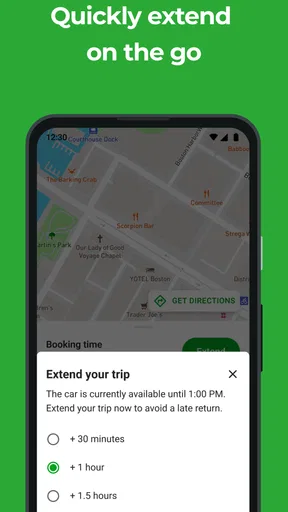
Late returns can result in additional charges and may inconvenience the next member, so extending the reservation in the app is recommended whenever possible. Before driving, inspect the car and report existing damage, cleanliness issues, warning lights, or mechanical problems through the app or support channels. In an accident or emergency, follow Zipcar’s instructions and contact the appropriate authorities first.


